
I organize homes for a living, and somehow, I STILL find myself being the person everyone in my family comes to when they need to know something. 😂
What time is our flight?
When is that appointment?
Where's the hotel confirmation?
Did we order that thing for school?
What's the password for that account?
…sound familiar?
Between running The Orderly Space and managing a growing team, traveling for organizing projects, and keeping up with my own family's schedules, there are a LOT of moving pieces in my life.
And while being organized comes pretty naturally to me, I've learned that being good at keeping track of everything doesn't mean I should have to keep track of everything.
If your entire family depends on YOU to know where everything is, when everything is happening, and what needs to get done, you're not just managing your household - you're carrying the mental load of everyone in it.
And that's exhausting!
Over the years, I've become much more intentional about creating systems that make information accessible, responsibilities easier to share, and everyday routines a little less complicated. So I figured it was time I shared some of my favorite family organization ideas, along with practical ways you can implement them in your own home!

1. Create a Shared Family Email Address
Think about how much information gets sent to your email inbox every single week.
School announcements, appointment reminders, online orders, activity registrations, travel confirmations, household bills, and about a million other things you're supposed to remember.
Now think about how often someone in your family needs information from one of those emails…
What if all that information lived somewhere everyone could access?
How to set up a shared family email
Step 1: Create a dedicated email address.
Keep it simple and easy to remember, like thejohnsonfamily@gmail.com.
Step 2: Decide what belongs in the family inbox.
I recommend using it for:
Travel bookings, flights, hotels, and reservations
School communications and extracurricular activities
Household bills, utilities, and subscriptions
Online purchases and delivery confirmations
Family appointments and activities
Home maintenance and service appointments
Step 3: Create a few simple labels or folders.
Start with categories like Travel, School, Household, Activities, and Purchases.
Step 4: Make sure the right people have access.
Set up secure access for the adults managing your household, including appropriate account recovery and two-factor authentication. Decide which information children should be able to access as they get older.
Step 5: Start using it for new registrations and purchases.
You don't need to spend hours on end updating every account you've ever created. Just start using the family email moving forward and gradually transition existing accounts as needed.
Why I love this system: Your family's information no longer depends on one person being available to look something up!
2. Use a Shared Family Calendar That Everyone Can See
Between school schedules, appointments, extracurricular activities, work commitments, and travel, keeping track of everyone's calendar can practically become a full-time job.
And when you're managing a business on top of it all? Let's just say there are some weeks when I feel like I need a calendar just to keep track of my calendars!
One tool I love for busy families is the Skylight Calendar (use my code: JENNIFERJ to get 15% off). It's a digital family calendar that can be displayed in a central location in your home, giving everyone a visual overview of what's happening (I especially love the idea of having something like this in the kitchen or entryway, where everyone naturally passes by throughout the day).
Because here's what I've learned about organizing systems... if you want your family to use something, you have to make it EASY for them to use it.
A calendar that lives on one person's phone isn't necessarily helpful to everyone else. But when the entire family can see what's happening, there's less need for one person to constantly communicate the schedule!
How to create a family calendar system
Give every family member their own color.
This makes it easy to glance at the calendar and see who has what going on.
Add more than just appointments.
Include school events, extracurricular activities, travel dates, work commitments that affect the family, and even reminders for things like library books or permission slips.
Include the details you'll need later.
If there's an appointment, add the location. If your child needs to bring something special to school, put that in the event description.
Make everyone responsible for communicating schedule changes.
Depending on their ages, kids can begin taking responsibility for adding their own activities or letting you know when something needs to be updated.
Review the calendar together once a week.
Spend 10 minutes on Sunday looking at what's coming up. Who needs a ride? Are there any schedule conflicts? Is there something you need to prepare for?
And remember, you don't have to invest in a Skylight Calendar to make this work. A shared Google Calendar or Apple Calendar can accomplish the same goal! The important thing is creating ONE place everyone knows to look.
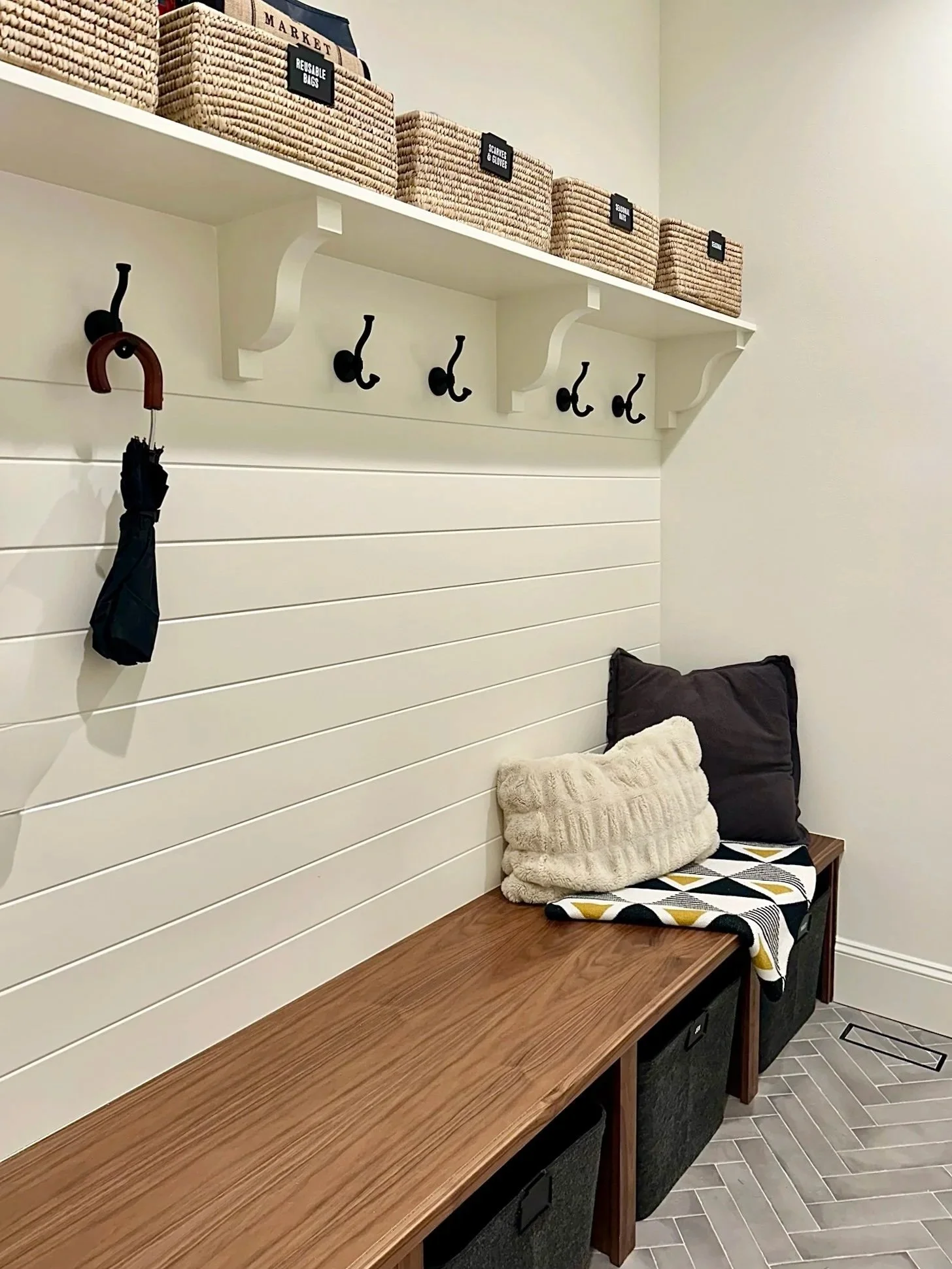
3. Create a Family Command Center
I know my household isn’t the only one where papers just appear on the counter out of nowhere!
School forms. Invitations. Appointment cards. Mail. Permission slips… I swear they multiply overnight. 😂
Even with all the digital tools available to us, there are still plenty of physical things that need a home. And as a Professional Organizer, I can tell you that one of the biggest reasons clutter accumulates is that we haven't decided where something belongs.
That's why I recommend creating a simple family command center!
How to create a command center that works for YOUR family
Start by paying attention to where things naturally accumulate.
Does everyone drop their mail on the kitchen counter?
Do backpacks end up by the front door?
Are school papers constantly getting lost?
Instead of fighting those habits, use them to determine where your organizing systems should go.
For example:
Incoming paperwork: Add a small tray or wall-mounted folder for mail and school papers that need attention.
Outgoing items: Create a designated spot for library books, returns, and anything that needs to leave the house.
Keys and everyday essentials: Install hooks or use a small tray near the door.
School supplies: Give backpacks, lunch boxes, and frequently used items a consistent home.
One of the things we focus on at The Orderly Space is making sure the systems we create make sense for the people who actually live in the home. Because a beautifully organized space that nobody can maintain isn't doing anyone much good!
4. Make Important Family Information Accessible
If you were out of town for a few days, would the rest of your family know where to find everything they needed?
I'm talking about insurance information, emergency contacts, important documents, household service providers, and all those little details that are living in your head.
This is something I've become especially conscious of as The Orderly Space has grown! When we have multiple organizing projects happening between Bellingham and Seattle, I can't be the only person who knows where to find important information or how something is supposed to get done.
We need systems that allow our team to access what they need and keep things moving, even when I'm not personally overseeing every detail.
And really, our households aren't all that different! Your family shouldn't have to wait for you to be available to find a phone number, locate an important document, or figure out who to call when something breaks.
How to organize your family's important information
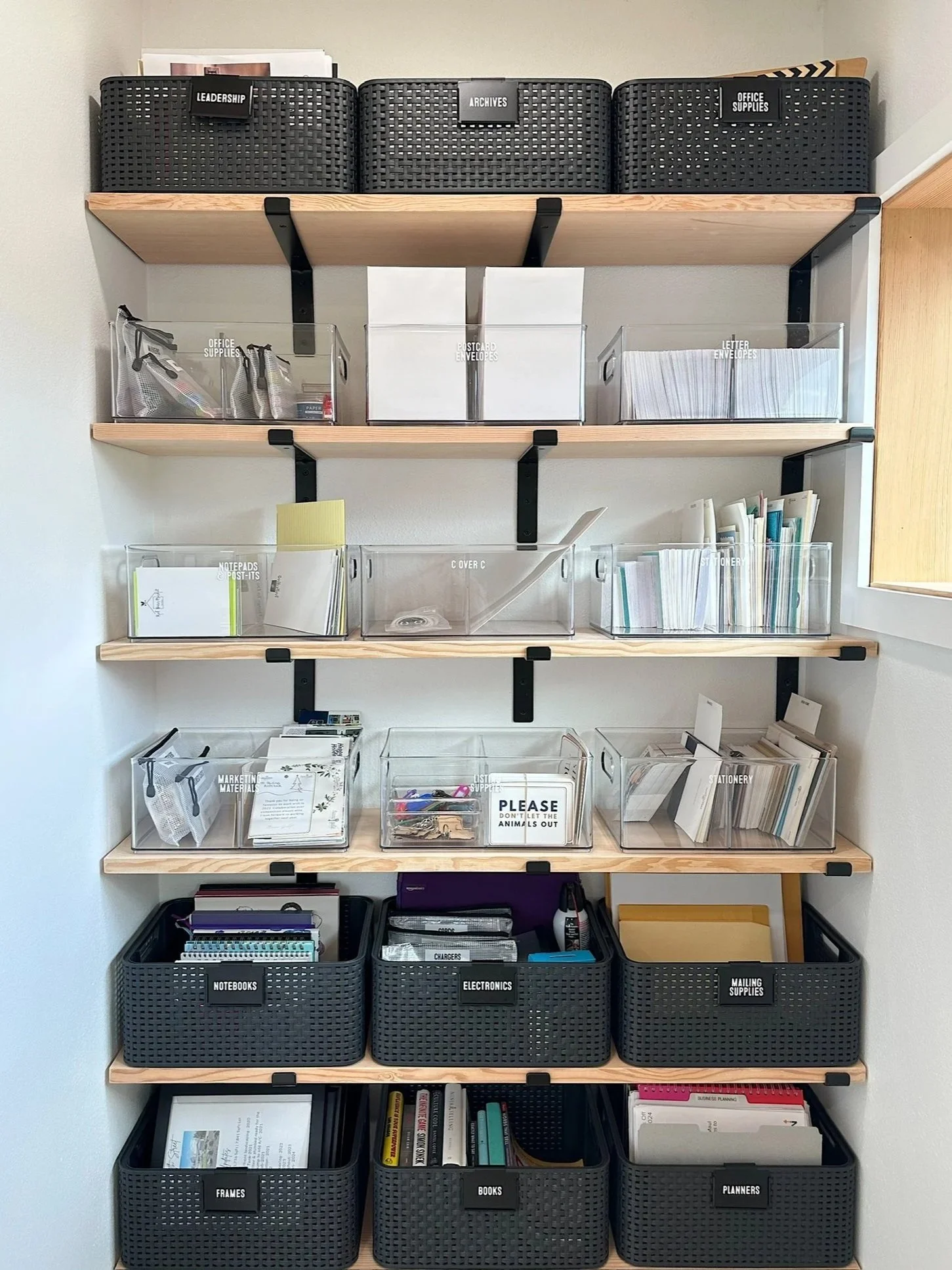
Create a central family information hub. This could be a shared digital folder, a physical household binder, or a combination of both.
Include things like:
Emergency contacts and important phone numbers
School and healthcare provider information
Insurance policies
Home maintenance records and appliance manuals
Pet care instructions
Household service providers
Important travel information
For digital files, create a few clearly named folders so everyone knows where to look. For physical paperwork, use labeled folders or a binder stored in an accessible location. Sensitive information, including financial records and identification documents, should be stored securely with access limited to the appropriate people.
5. Give Everyone Ownership of Household Responsibilities
Let's talk about the mental load of managing a family for a minute, because I think this is something so many of us can relate to!
It's not necessarily the individual tasks that feel overwhelming, but it’s remembering that the tasks need to happen in the first place.
Knowing when the dog needs medication.
Remembering to order more toothpaste.
Keeping track of the school forms that need to be signed.
Noticing that the refrigerator is empty.
Reminding everyone about their appointments.
It's a LOT!
And while I'm naturally someone who likes to organize and plan, I've learned that just because I'm capable of managing everything doesn't mean I should be responsible for managing everything.
This has been an important lesson in growing The Orderly Space, too! As our team has expanded, I've had to become more intentional about creating processes and giving people ownership over their responsibilities. Because if every question, decision, and task still has to go through me, I haven't really created a system that can function independently.
The same principle applies at home.
How to share household responsibilities
Start by identifying recurring tasks.
Think about everything that happens on a weekly or monthly basis, from taking out the trash and feeding pets to managing laundry and restocking household essentials.
Assign responsibilities based on age and ability.
Younger children might be responsible for putting away their backpacks or feeding pets with supervision. Older kids can take on more independence with laundry, school supplies, and managing their schedules.
In our household, we recently implemented Night Before & After School checklists to help encourage both independence and organization within our kids!
Make responsibilities visible.
Use a shared task list, a chore chart, or the task features in your family calendar.
Focus on ownership rather than constant reminders.
If you have to notice that something needs to be done, ask someone to do it, remind them again, and then check whether it happened, you're still managing the entire process.
The goal is to gradually help family members take responsibility for their own tasks. Of course, this takes practice, especially with kids! But creating clear expectations and consistent routines can make a huge difference.
And honestly, I think one of the best things we can do for our kids is teach them how to create systems that will help them manage their own lives.
6. Make Time for a Weekly Family Reset
You can create the most beautiful, thoughtful organizing systems in the world, but if nobody maintains them, they aren't going to make your life easier.
And believe me, even Professional Organizers have to maintain their systems! My house isn't perfectly organized 24/7 (unfortunately 😂). We live here. Life happens. Things get busy. Sometimes the laundry piles up, things don't get put away immediately, and our schedules feel a little more chaotic than I'd like.
However, when you have good systems in place, getting back on track is SO much easier. A 10-15 minute weekly reset can make a huge difference!
Your 15-minute weekly family reset
5 minutes: Review the calendar.
Look at upcoming appointments, school activities, transportation needs, and anything that requires preparation.
5 minutes: Catch up on household information.
Check the shared family email, sort any paperwork, and make sure important bills or forms are being handled.
5 minutes: Divide and conquer.
Talk about what needs to get done around the house, who's responsible, and whether anyone needs help with something. You can also use this time to update your grocery list, plan meals, or discuss anything unusual happening that week.
The goal here is to eliminate some of those little things that make everyday life feel unnecessarily stressful. And when everyone participates, it becomes a shared family habit rather than another task on your to-do list!

Where Should You Start? My Advice as a Professional Organizer
If you're reading this and thinking, "Okay, I need to implement ALL of these things immediately," I want to encourage you to do something a little different.
Pick ONE.
I've seen what happens when people try to overhaul everything at once… they get excited, purchase a bunch of organizing products, create elaborate systems, and then a few weeks later, life gets busy and everything falls apart.
And suddenly they're right back where they started.
Instead, I recommend starting with whatever causes the most frustration in your household right now.
Ask yourself:
Am I constantly searching for emails or forwarding information to family members?
Do we frequently forget appointments or double-book activities?
Does paperwork pile up because nobody knows where it belongs?
Am I the only person who knows where important information is stored?
Do I spend too much time reminding everyone what needs to get done?
Your answers will tell you where to start! Choose one system, get everyone on board, and give it a few weeks to become part of your routine before introducing something else.
The Goal Isn't to Become the Most Organized Person in Your Family
As ironic as it sounds, I think the best organizing systems are the ones that allow us to stop thinking about organization so much!
I don't want to spend every free moment managing my home.
I want to spend time with my family.
I want to travel.
I want to work on the business I've spent years building.
And yes, sometimes I just want to sit down and work on a puzzle without having to answer a million questions about where things are! 😂
Which is why here at The Orderly Space, we don't organize homes just to make them look beautiful - we create systems that help families function better in their everyday lives.
And sometimes that means organizing a pantry or creating a more functional closet. Other times, it means rethinking how your family manages schedules, shares information, or divides responsibilities.
Because a truly organized home is one where everyone has the tools and systems they need to help keep things running.
And if you're ready to create a home that works better for your family, we'd love to help! At The Orderly Space, we specialize in creating personalized organizing systems that make everyday life easier for busy families. Click here to learn more about our professional organizing services and schedule a complimentary consultation with our team today!
